> ## Documentation Index
> Fetch the complete documentation index at: https://docs.engini.ai/llms.txt
> Use this file to discover all available pages before exploring further.
# Zip Archives
ZIP Archive is used for compressing and decompressing files and directories, facilitating easier storage and transfer. This guide explains the various activities available for interacting with ZIP archives.
1. Open a new workflow
2. Choose the Core software.
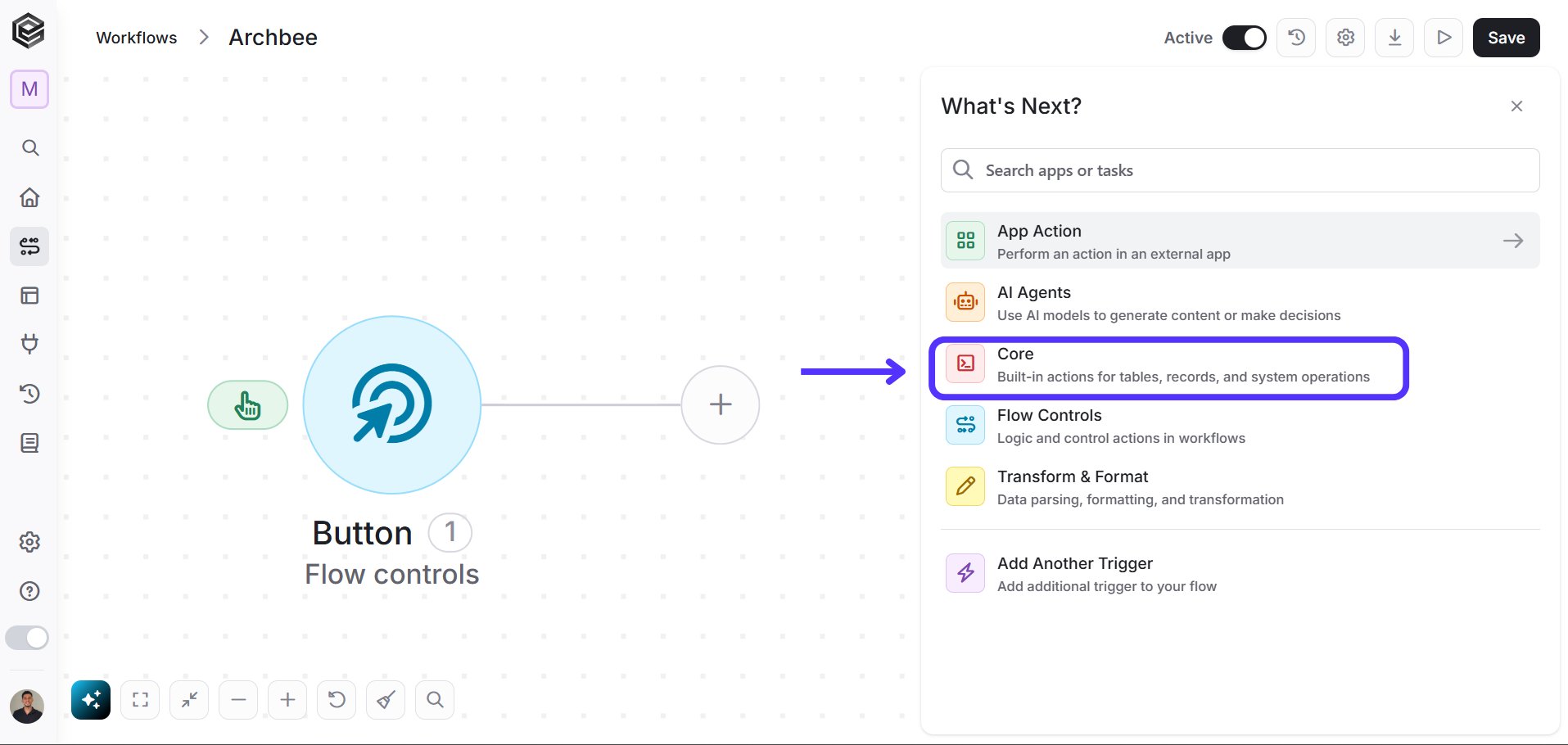 3. Choose the Zip Archive Option.
 ## Activities
### Initialize Files Array
Creates an empty array to store file details for ZIP operations.
## Activities
### Initialize Files Array
Creates an empty array to store file details for ZIP operations.
 * *Variable name -* Enter the name of the variable that will hold the array of files.
**Note**: You can insert the first values without adding Append to Files Array, more than that will require the use of the Append activity.
### Append to Files Array
Adds a file to the previously initialized array.
* *Variable name -* Enter the name of the variable that will hold the array of files.
**Note**: You can insert the first values without adding Append to Files Array, more than that will require the use of the Append activity.
### Append to Files Array
Adds a file to the previously initialized array.
 1. *Variable -* Select from the drop-down menu the variable that you initialized, which holds the files array.
2. *File name -* Enter the name of the file to be added.
3. *File Content -* Enter the content of the file in Base64 String format.
### Create an Archive
Creates a ZIP archive from the files in the array.
1. *Variable -* Select from the drop-down menu the variable that you initialized, which holds the files array.
2. *File name -* Enter the name of the file to be added.
3. *File Content -* Enter the content of the file in Base64 String format.
### Create an Archive
Creates a ZIP archive from the files in the array.
 1. *Archive name -* Enter the name for the new ZIP archive.
2. *Files\[] -* Select the variable that contains the array of files to be zipped.
### Extract an Archive
Extracts the contents of a ZIP archive.
1. *Archive name -* Enter the name for the new ZIP archive.
2. *Files\[] -* Select the variable that contains the array of files to be zipped.
### Extract an Archive
Extracts the contents of a ZIP archive.
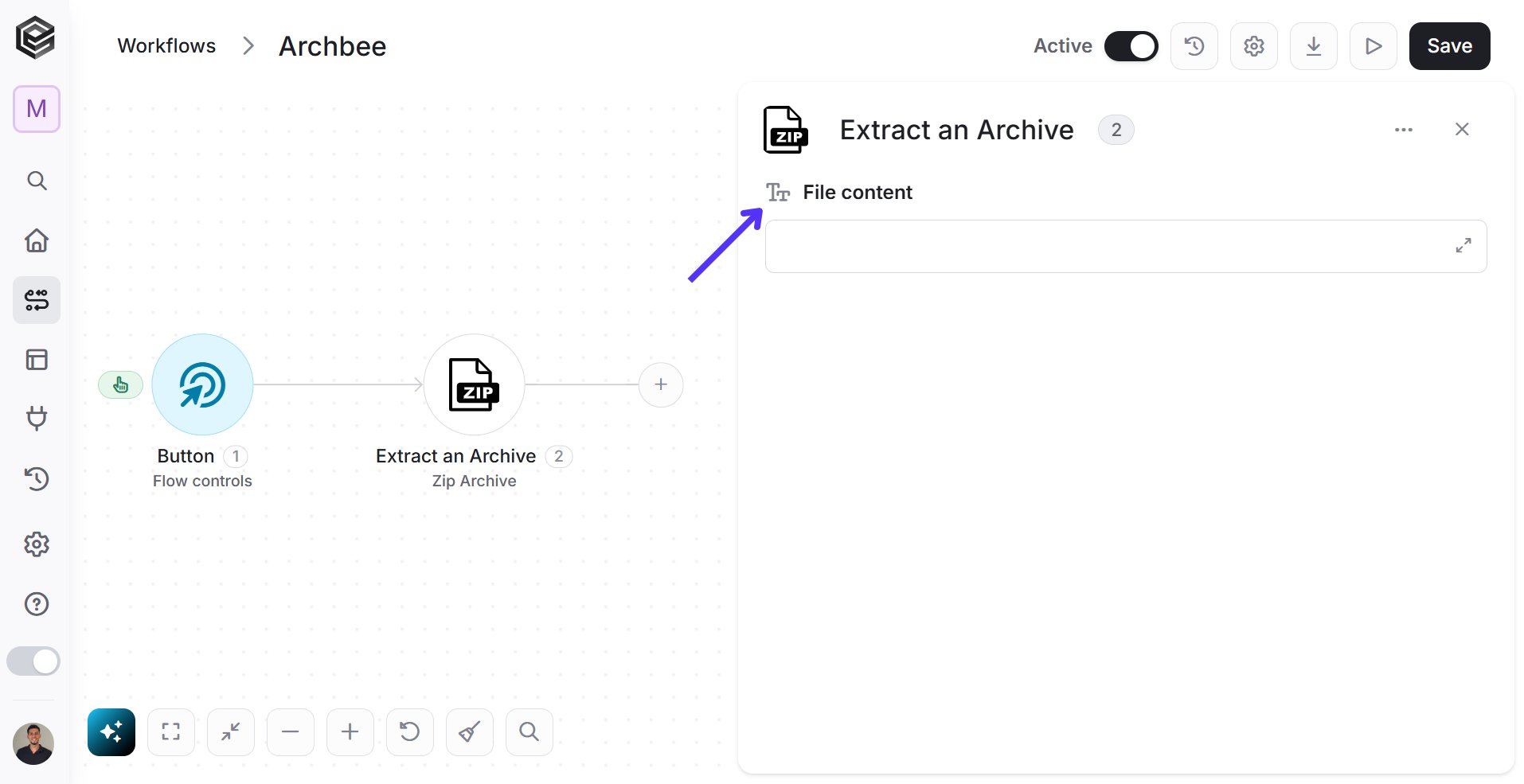 * *File content -* Enter the content of the ZIP file in Base64 String format.
### Map Files Array
Maps data to files and adds them to the array.
* *File content -* Enter the content of the ZIP file in Base64 String format.
### Map Files Array
Maps data to files and adds them to the array.
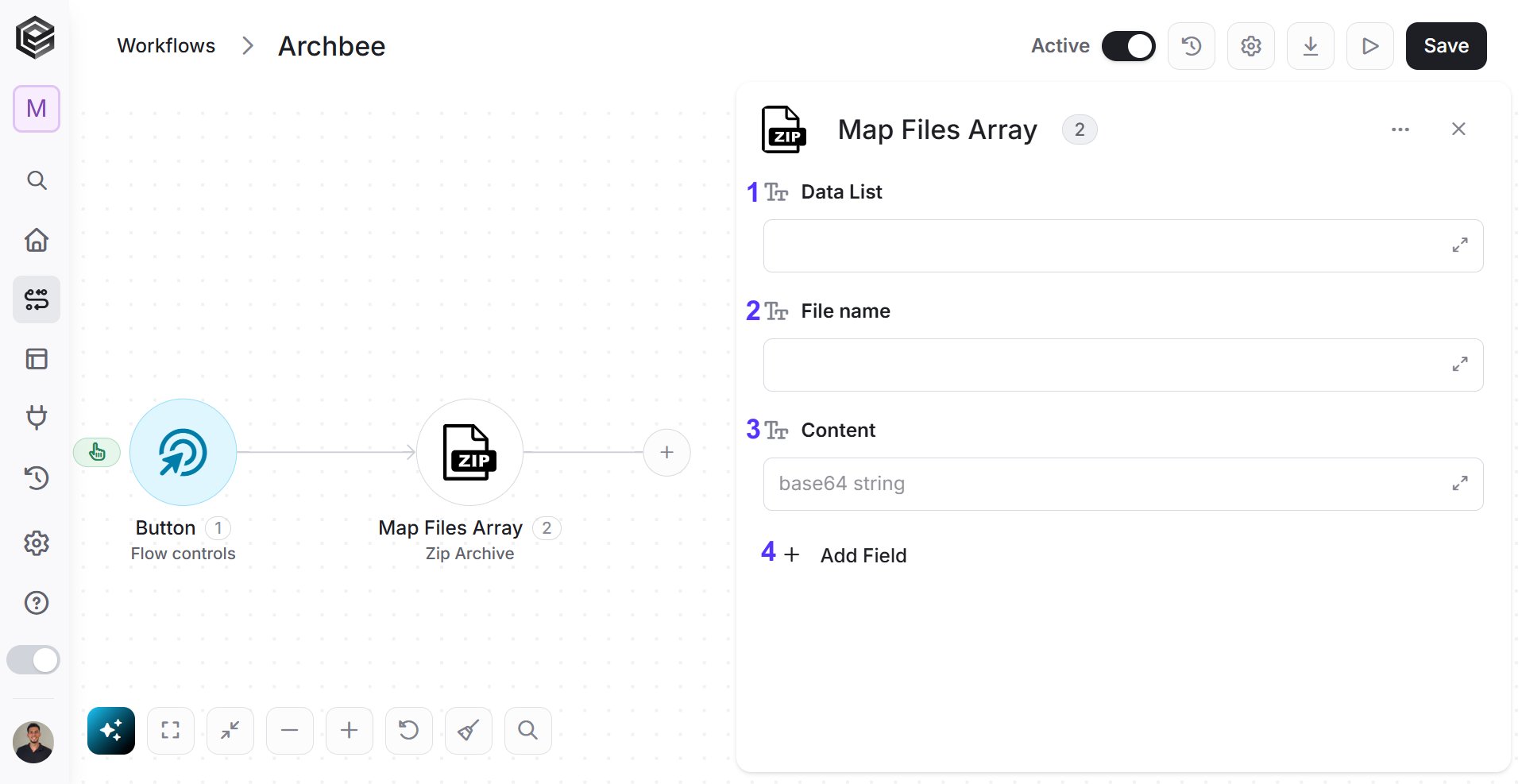 1. *Data List -* Enter the data list that contains file information.
2. *File name -* Enter the name for each file.
3. *Content -* Enter the content of each file in Base64 String format.
4. *Add Field -* Use this option to add additional custom fields to your array.
This documentation is built and hosted on [Mintlify](https://mintlify.com), a developer documentation platform.
1. *Data List -* Enter the data list that contains file information.
2. *File name -* Enter the name for each file.
3. *Content -* Enter the content of each file in Base64 String format.
4. *Add Field -* Use this option to add additional custom fields to your array.
This documentation is built and hosted on [Mintlify](https://mintlify.com), a developer documentation platform.